A power bank may have enough energy for a smartwatch, yet the watch can still refuse to charge. The cable, puck, port behavior, and power mode all matter.
A power bank can charge a smartwatch when the watch’s approved charging cable or puck is compatible with the power bank’s output and the power bank stays active at the watch’s low power draw.
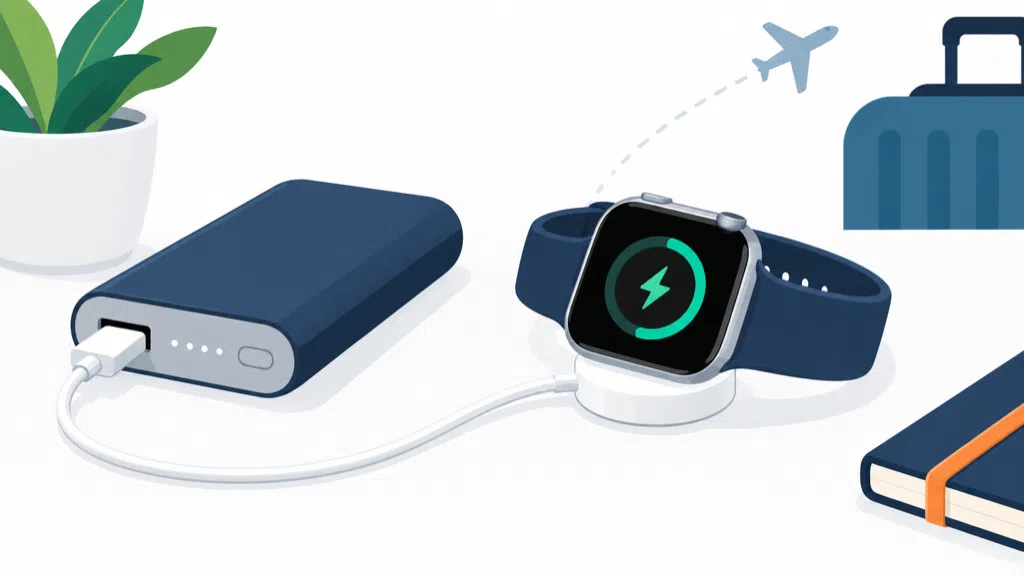
Many customers assume that a USB port can charge every small device. In practice, smartwatches often use a brand-specific magnetic charging puck or cable, and some power banks turn off when the load is too small. The result is a compatibility question, not simply a battery-capacity question.
What Does A Smartwatch Need From A Power Bank?
A smartwatch needs the correct charging accessory, a compatible power source, stable contact, and enough operating time to complete its charge.
A smartwatch usually needs its approved magnetic charger or charging cable connected to a suitable USB output. The power bank must provide stable power and must not shut down because the watch draws only a small current.
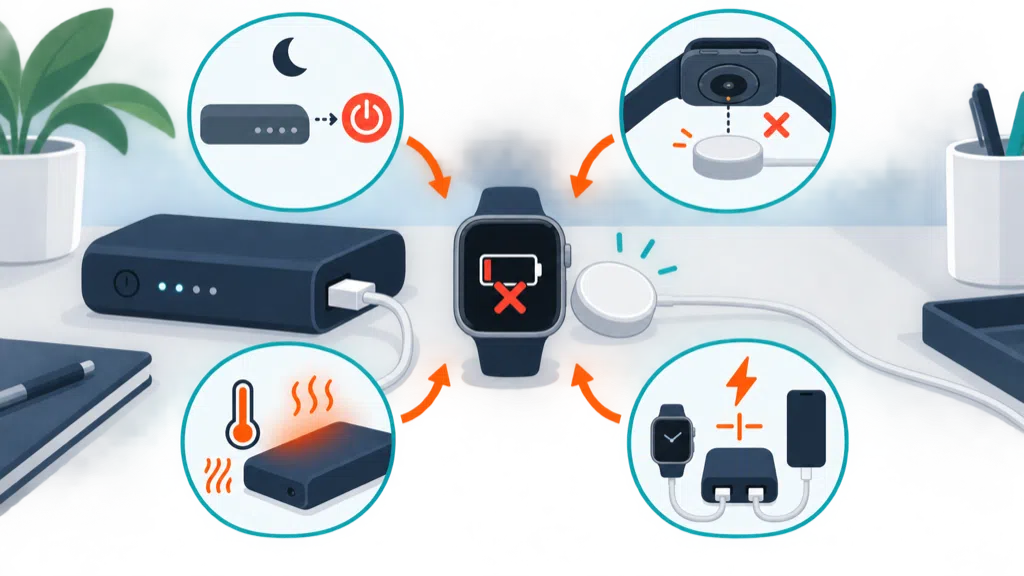
The first check is the watch’s charging interface. Some watches use a proprietary magnetic puck with USB-A or USB-C at the charger end. Others use a dock or a dedicated cable. The watch may not accept a generic cable simply because the connector looks familiar.
Apple says the fastest Apple Watch charging uses a USB-C Power Delivery charger and the USB-C Apple Watch Magnetic Charging Cable, and it notes that charging through a multi-port source can reduce available power.1 That guidance shows why the charging accessory and source work as a system. It does not mean every smartwatch needs the same wattage or cable.
The power bank’s output can be USB-A or USB-C, depending on the watch cable. If the watch cable ends in USB-C, a USB-C output is the simplest match. If it ends in USB-A, a USB-A output or a suitable adapter may work, but the adapter adds another connection and another possible failure point.
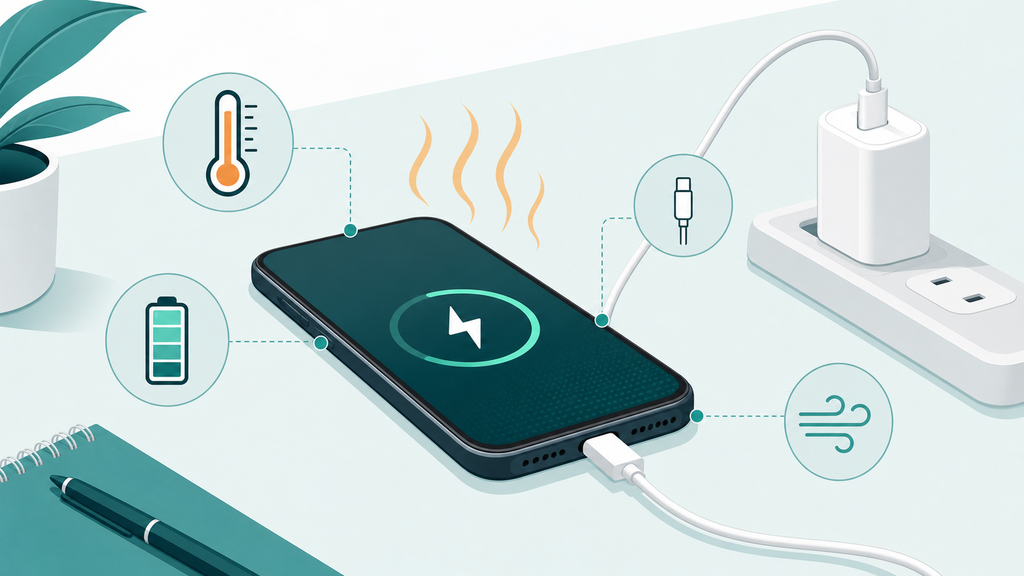
Charging contact is important for magnetic watches. The puck must align with the watch, stay attached, and remain free of dirt or metal objects. A power bank can provide power while the watch still fails to charge because the puck is misaligned or the watch is not seated correctly.
| Check | What to confirm | Common mistake |
|---|---|---|
| Watch model | Approved charger or dock | Assuming one cable fits every model |
| Cable end | USB-A or USB-C input to the power bank | Choosing the wrong output port |
| Power mode | Low-load behavior and wake method | Power bank turns off early |
| Magnetic contact | Correct alignment and clean surfaces | Blaming the battery for poor contact |
| Environment | Moderate temperature | Charging in heat or cold |
| Travel use | Cable, watch, and power bank tested together | Testing only at home |
A watch usually draws much less power than a phone. That is convenient for energy capacity, but it can be challenging for a power bank’s automatic output detection. Some power banks are designed to stop after they no longer detect a meaningful load. A low-current mode, trickle mode, or button activation may be required, depending on the product.
Do not judge compatibility by the power bank’s mAh number. Capacity tells you how much stored energy the product has under a stated condition. It does not tell you whether the output remains on, whether the cable fits, or whether the watch recognizes the charger.
The same principle applies to other small electronics. Earbuds, fitness trackers, and some cameras may also use low current or special charging behavior. A product intended for these devices needs a test plan that includes them instead of relying on phone testing.
Why Might A Power Bank Stop Charging A Smartwatch?
The most common problems are an incompatible charging cable, low-load shutdown, unstable contact, temperature protection, or a power bank feature that was never designed for watches.
A power bank may stop charging a smartwatch if the load is too small, the output enters sleep mode, the charging puck is misaligned, the cable is damaged, or the watch and accessory require a different charging system.
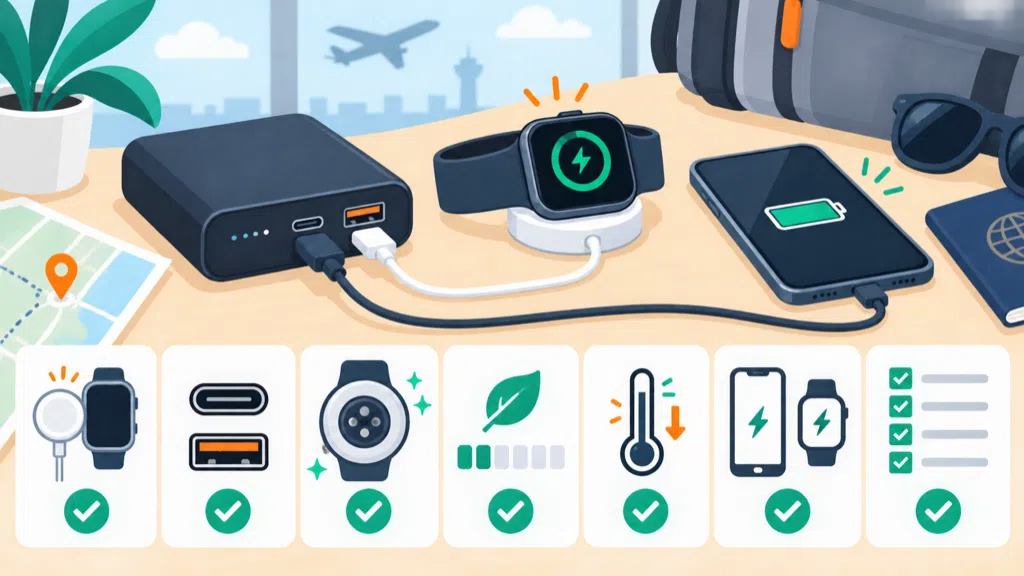
Start with the simplest isolation test. Charge the watch from its normal wall charger. If that works, connect the same approved cable or puck to the power bank and activate the output according to the power bank manual. If the watch still does not charge, test another known-good cable before assuming the power bank is defective.
Low-load shutdown is common enough to deserve its own check. The power bank may light up briefly, then turn off after the watch reaches a low or intermittent charging state. A button press may restart the output. Some designs include a special low-current mode. The instruction should explain how to use it.
| Symptom | More likely cause | First action |
|---|---|---|
| No indicator or output | Power bank is asleep or empty | Recharge and wake the output |
| Watch shows no charging symbol | Puck, cable, or alignment problem | Test the approved accessory |
| Starts, then stops | Low-load shutdown | Check low-current mode |
| Charges slowly | Cable, source, or temperature limit | Use the normal accessory in a moderate environment |
| Stops when another device connects | Shared output limit | Test the watch alone |
| Works from wall charger only | Power bank compatibility or detection issue | Compare output port and cable path |
USB Power Delivery is negotiated between compatible source and sink equipment. USB-IF describes the system as allowing a device to request power within the source’s available capabilities.2 A smartwatch cable may draw modest power, so a power bank with complex output rules can behave differently from a dedicated charger.
Temperature can also reduce charging speed. Apple specifically notes that charging in temperatures that are too high or low can reduce charge speeds to protect battery lifespan.1 A watch on a wrist, inside a travel pouch, or beside a warm power bank may not charge at its normal rate.
Check whether the power bank is charging another device at the same time. Multiple outputs may share a power budget or change output behavior when a second cable is connected. Test the watch alone first, then add the second device. If the watch stops, the issue may be power sharing rather than a faulty watch.
A damaged cable can be hard to spot because the connector still fits. Look for bent contacts, loose strain relief, frayed insulation, or a puck that does not sit flat. Do not continue using an accessory that becomes hot, smells unusual, or shows visible damage.
Brands should avoid claiming “charges all smartwatches” without a device and accessory list. Smartwatch charging systems vary, and a broad promise can create returns even when the power bank itself works correctly with the tested models.
How Can Users And Brands Make The Combination Reliable?
Users should test the exact watch, approved charger, cable, and power bank together. Brands should validate low-load behavior, temperature, cable compatibility, and clear instructions.
For reliable smartwatch charging, use the watch maker’s approved accessory, connect it to a tested power bank output, activate any low-current mode, keep the contact clean, and confirm the combination before travel.
Users can begin with a simple travel check. Recharge the power bank, connect the watch’s normal charging puck, verify the charging symbol, and leave the combination running long enough to confirm that it remains active. A brief flash of an indicator is not enough evidence.
Keep the puck and cable separate from loose metal objects. Protect the cable from tight bends and inspect it before use. Store the power bank away from heat and moisture. If the watch or charger becomes unusually hot, disconnect it and let the system cool before investigating.
The power bank should be tested with the devices named in the product listing. For an OEM or private-label product, create a compatibility matrix that includes watch models, charger versions, cable ends, output ports, battery states, and whether the power bank is also charging another device.
| Validation condition | Why test it | Pass question |
|---|---|---|
| Watch cable on USB-C output | Confirms direct modern connection | Does charging start and stay on? |
| Watch cable on USB-A output | Checks legacy cable support | Is an adapter required? |
| Low battery in power bank | Tests late-cycle output behavior | Does the watch remain supported? |
| Watch alone | Isolates low-load detection | Does output avoid early shutdown? |
| Watch plus phone | Checks power sharing | Is the behavior explained? |
| Warm and cool conditions | Checks speed and protection | Does the product respond safely? |
| Different cable samples | Finds accessory variation | Is the approved cable list clear? |
The test should record start time, charging indication, output state, temperature, and any automatic shutdown. If the watch stops, note whether the power bank stopped or the watch rejected the accessory. That distinction matters for customer support.
Instructions should be short and specific. State which output to use, whether the button must be pressed, whether low-current mode is available, and which watch accessories are supported. Explain that charging speed may vary with the watch, cable, temperature, and other connected loads.
Packaging should not rely on a watch icon alone. If the product supports selected smartwatch charging accessories, identify the tested compatibility in the approved listing and manual. If compatibility is uncertain, say “use with the watch’s approved charging cable” rather than promising a universal result.
For travel products, test the complete kit before shipment. A power bank may be acceptable for the watch but inconvenient if the cable cannot be stored safely or the output repeatedly sleeps. Small usability details often determine whether the product feels dependable.
EverGreat helps brands evaluate small-device charging as a system of power bank, cable, device, and user instructions. The practical goal is not the largest compatibility claim. It is a combination that starts easily, stays active, and behaves predictably.
Conclusion
A power bank can charge a smartwatch with the right approved accessory and stable low-load behavior. Test the complete combination before relying on it.
-
Apple Support, About Apple Watch charge speeds. ↩ ↩
-
USB Implementers Forum, USB Charger and USB Power Delivery information. ↩