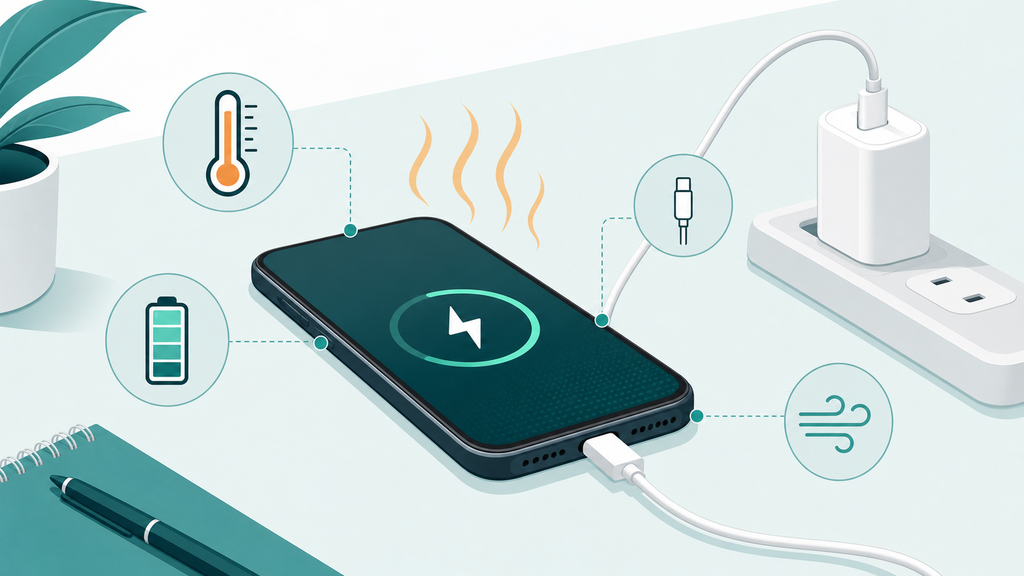
Phone heat during charging feels worrying. Sometimes it is normal. Sometimes it is a warning sign that your charger, cable, case, or environment needs attention.
Your phone gets hot while charging because energy conversion, fast charging, wireless charging, apps, cases, and warm rooms all create heat. Mild warmth is common, but charging should slow, stop, or be checked if the phone becomes uncomfortable to hold.
Many customers ask me this after a return, a complaint, or a bad review. Heat is not only a user comfort issue. It also affects battery health, safety perception, and brand trust.
Is It Normal For A Phone To Get Warm While Charging?
A warm phone can make users nervous. If they do not understand normal charging heat, they may blame the charger even when the system works correctly.
Yes, mild warmth is normal when a phone charges. Charging moves energy through the adapter, cable, charging circuit, and battery. The phone may become warmer during fast charging, wireless charging, gaming, navigation, video calls, or use in a hot room.
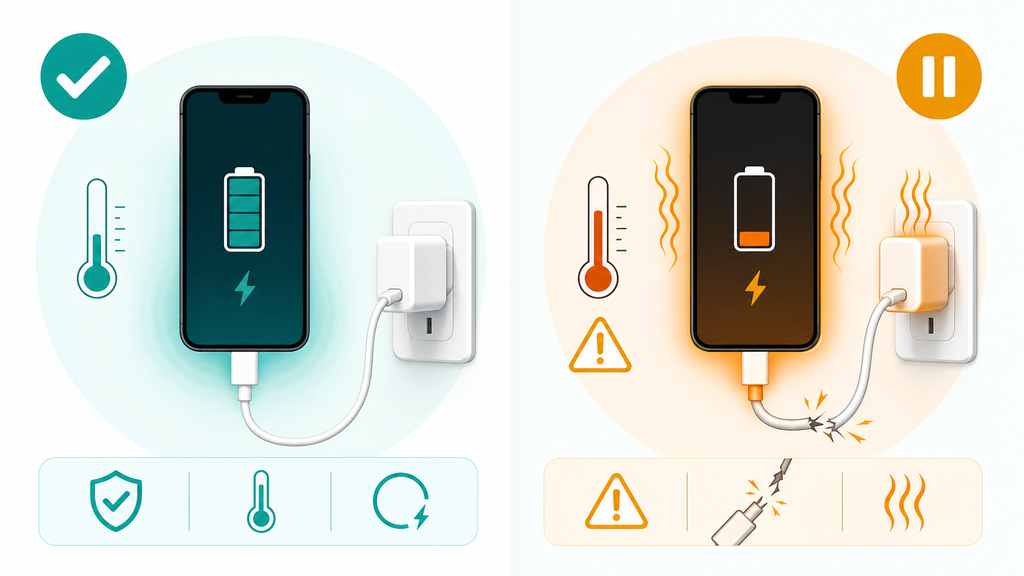
The key word is mild. A phone that feels slightly warm on the back or near the charging area is usually not surprising. A phone that becomes painful to hold, smells unusual, shuts down, swells, or repeatedly pauses charging should be treated differently.
Apple explains that iPhone may slow or pause charging when it becomes too warm or too cold, and charging resumes when the battery returns to a safe temperature range.1 This is important because users often read slower charging as a charger failure. In many cases, the phone is protecting itself.
Apple also says iPhone, iPad, iPod, and Apple Watch work best in ambient temperatures from 32 degrees to 95 degrees Fahrenheit, or 0 degrees to 35 degrees Celsius.2 That does not mean the phone fails outside that range immediately. It means temperature affects performance and battery behavior. A phone charged on a sunny car dashboard, under a pillow, or inside a thick case has less room to release heat.
In manufacturing, I see charging heat as a system problem, not a single part problem. The charger converts AC power to DC power. The cable carries current. The phone manages charging stages. The battery chemistry reacts to current and temperature. The case and environment decide how easily heat escapes.
| Heat Source | Common Cause | User Impact |
|---|---|---|
| Charger | Low efficiency or high load | Warm adapter, slower charging, trust concerns |
| Cable | Poor contact or weak conductor | Heat at connector, unstable charging |
| Phone | Fast charging or heavy app use | Warm back cover, charging slowdown |
| Wireless pad | Coil misalignment or high loss | More surface heat than wired charging |
| Environment | Hot room, sunlight, bedding | Thermal pause or battery stress |
Many buyers underestimate wireless charging heat. Wireless charging is convenient, but it transfers power across a small air gap and through phone materials. If the coil alignment is poor, more energy becomes heat. This is why magnetic alignment, coil layout, firmware control, and thermal design matter so much in wireless chargers and magnetic power banks.
For EverGreat projects, I usually ask one simple question during sample evaluation: where does the heat appear? Heat at the phone back suggests device workload, wireless loss, or battery management. Heat at the cable connector may suggest contact resistance or cable quality. Heat at the adapter body can be normal under load, but excessive temperature needs better design or a different power rating.
When Is Charging Heat A Safety Warning?
Users often ignore early warning signs because the charger still works. That is risky because heat problems can become after-sales problems very quickly.
Charging heat becomes a warning sign when the phone is too hot to hold, charging stops repeatedly, the cable or connector gets hot, the battery swells, the charger smells, sparks, cracks, or comes from an unknown low-quality source.
The most dangerous mistake is assuming every charger that fits is safe. A USB-C or Lightning connector can look clean while the internal design is poor. Low-quality adapters may use weak insulation, poor transformer design, unstable output, thin internal wiring, or insufficient thermal protection.
The U.S. Consumer Product Safety Commission has repeatedly warned about charger and lithium-ion battery fire risks when products are incompatible, poorly made, or marketed as universal when they are not suitable for the device.3 Many of those public warnings focus on larger micromobility batteries, but the lesson also matters for consumer electronics buyers: charging products should be matched, tested, and documented.
USB Power Delivery helps devices and chargers negotiate power through USB-C. USB-IF describes USB PD as a flexible power delivery system that allows devices to receive the power they require.4 A well-designed USB-C PD charger should not simply push maximum wattage into every phone. The phone asks for a supported profile. The charger responds. The cable must also support the current and construction needed for the job.
Still, power negotiation does not excuse poor product quality. A charger can claim fast charging and still perform badly if the components, firmware, or thermal design are weak. I have seen samples that looked fine for five minutes but became too hot during a 30-minute load test. That kind of product can create returns even if it never causes a serious incident.
Here is how I separate normal warmth from warning signs:
| Symptom | Likely Meaning | Action |
|---|---|---|
| Phone is mildly warm | Normal charging loss | Keep charging in open air |
| Charging pauses in heat | Phone thermal protection | Cool the phone and remove the case |
| Connector feels hot | Contact or cable issue | Stop using that cable |
| Charger smells or buzzes | Possible internal fault | Stop using the charger |
| Phone back bulges | Battery swelling risk | Stop charging and seek service |
| Heat happens only with one accessory | Accessory mismatch or defect | Replace or test the accessory |
Retail and private-label buyers should treat heat complaints as product data, not noise. If ten users report warmth under the same condition, ask what they have in common. Same phone model? Same cable? Same case? Same wall adapter? Same wireless alignment? That pattern helps identify whether the issue is user behavior, unclear instructions, or product design.
For a brand, the safest path is conservative claims. Do not promise "cool fast charging" unless you have test evidence. Say what adapter is required. Explain that cases and hot rooms can affect charging. Include basic safety instructions. Clear packaging reduces unrealistic expectations and can prevent avoidable complaints.
How Can You Reduce Phone Heat While Charging?
Most charging heat can be reduced with small habit changes. The challenge is knowing which change matters before blaming the phone or charger.
To reduce phone heat while charging, use a quality charger and cable, charge in a cool open place, remove thick cases, avoid gaming or navigation, keep the phone out of sunlight, and stop using accessories that make connectors or batteries unusually hot.
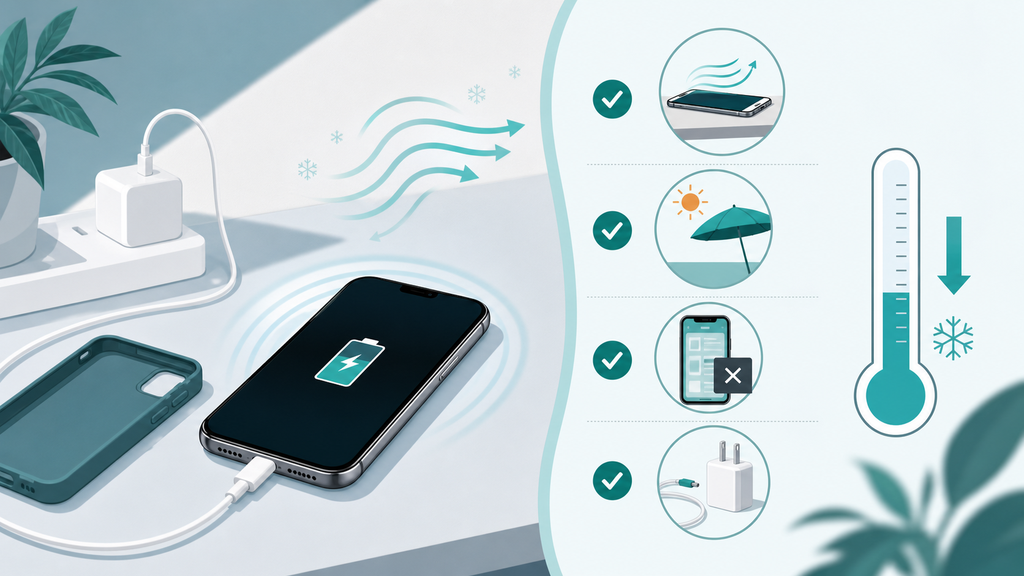
I would start with the easiest fixes. Put the phone on a hard surface instead of a bed or sofa. Remove the case if the phone often gets hot. Close heavy apps. Avoid charging while using navigation in a hot car. Use a charger with the right power rating and a cable that does not feel loose.
Apple gives similar practical guidance. It advises users to charge within the recommended ambient temperature range and remove certain cases if the device gets hot while charging.2 That advice is simple, but it solves many real problems.
Wireless charging needs extra attention. A small alignment error can increase heat. A thick magnetic case, metal ring, wallet attachment, or decorative plate can also affect charging. If a phone gets hotter on wireless charging than with a cable, test it without the case and confirm the charger is designed for that phone family.
For users, I would use this checklist:
- Change only one variable at a time.
- Try a known good charger.
- Try a known good cable.
- Remove the case.
- Stop heavy app use while charging.
- Move the phone away from sunlight or bedding.
- Watch whether the heat appears at the phone, cable, or adapter.
For brands and importers, I would build a stronger test plan:
| Test Area | What To Check | Why It Matters |
|---|---|---|
| Adapter load | Surface temperature at common loads | Finds weak thermal design |
| Cable fit | Connector temperature and stability | Reduces intermittent charging complaints |
| Phone models | Several iOS and Android devices | Catches compatibility differences |
| Cases | Thin, thick, magnetic, and wallet cases | Reflects real user behavior |
| Wireless alignment | Centered and slightly off-center placement | Predicts heat and slow charging |
| Room temperature | Normal and warm environments | Reveals derating behavior |
In my experience, the best products are not the ones that produce no heat. That is unrealistic. The best products control heat predictably, communicate requirements clearly, and avoid surprising users. A charger that gently slows under heavy load is better than one that keeps pushing until the shell becomes uncomfortable.
EverGreat customers often ask whether they should choose a higher-watt charger to solve heat. Sometimes the answer is yes, because a better charger can run more efficiently at a moderate load. Sometimes the answer is no, because the phone, cable, case, or room temperature is the real cause. This is why sample testing should match the final selling scenario.
My practical advice is to treat charging heat as part of product experience design. Good charging products do three things well: they deliver the expected speed, they manage temperature safely, and they explain limits honestly. If your product does all three, customers are less likely to panic when a phone becomes mildly warm.
Conclusion
Phone charging heat is usually manageable. Use quality accessories, control the environment, test real scenarios, and treat unusual heat as a warning.
-
Apple Support, Understand Thermally Limited Charging on iPhone. ↩
-
Apple, Batteries – Maximizing Performance. ↩ ↩
-
U.S. Consumer Product Safety Commission, Aftermarket Chargers. ↩
-
USB Implementers Forum, USB Charger (USB Power Delivery). ↩