A laptop battery dying outside the office can stop real work fast. The wrong power bank may still leave you stuck.
Yes, you can charge many laptops with a power bank if the laptop supports USB-C charging and the power bank provides enough USB-C PD wattage. Check your laptop’s required input, power bank output, cable rating, battery capacity in Wh, and airline rules before buying.
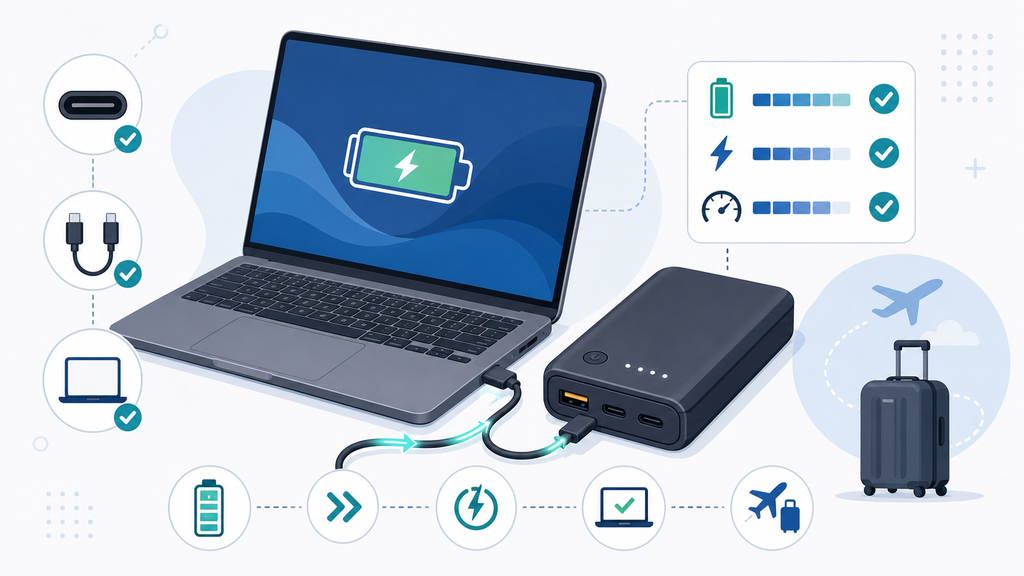
I often see buyers focus only on mAh. For laptops, that is not enough. Output wattage, USB-C PD support, cable quality, and travel limits matter just as much.
What Kind Of Power Bank Can Charge A Laptop?
Many power banks can charge phones, but only some can charge laptops well. The difference is usually wattage and USB-C PD support.
A laptop power bank should have USB-C Power Delivery output, enough wattage for the laptop, and a cable rated for that power. Many ultrabooks need 45W to 65W. Larger laptops may need 100W or more, and some may not charge well from a small power bank.
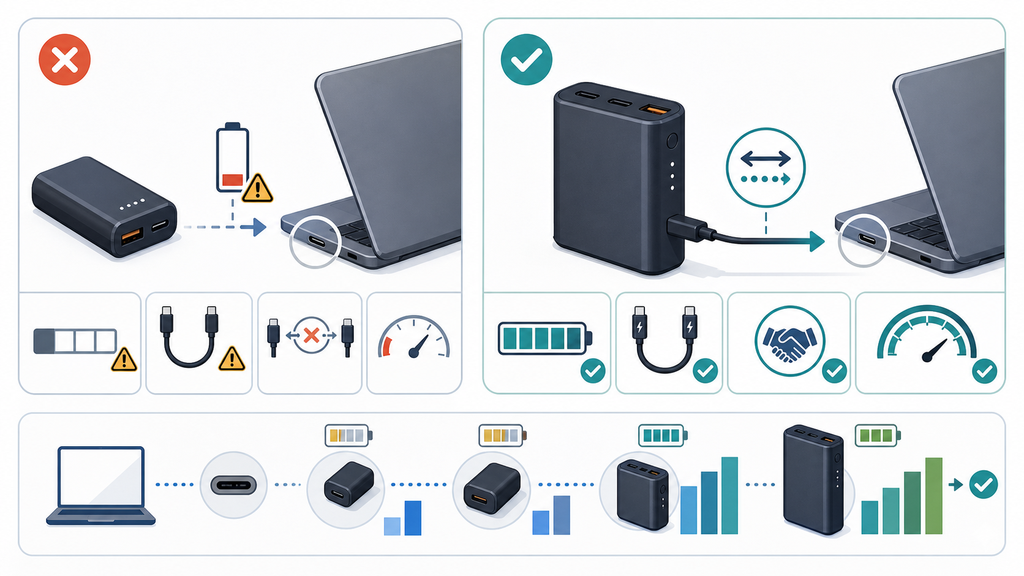
The first question is whether the laptop accepts USB-C charging. Many modern laptops do, but not every USB-C port is a charging input. Some ports transfer data only. Some laptops still need a barrel connector or a proprietary charger. If the laptop does not support USB-C charging, a normal USB-C power bank will not solve the problem unless a correct adapter system exists.
The second question is power. A small 18W or 20W phone power bank may show a charging icon on a laptop, but it may charge very slowly or fail under use. I have seen users plug a laptop into a small phone power bank and wonder why the battery still drops during a video call. The power bank was working, but it could not cover the laptop’s real demand.
Here is a simple way to think about it:
| Laptop Type | Common Charging Need | Better Power Bank Target |
|---|---|---|
| Small Chromebook or tablet laptop | Around 30W-45W | 45W USB-C PD |
| Thin office laptop | Around 45W-65W | 65W USB-C PD |
| Larger performance laptop | Around 90W-140W | 100W or higher USB-C PD |
| Gaming or workstation laptop | Often above travel power bank range | Use original charger when possible |
USB-IF explains that USB Power Delivery allows more flexible power delivery over one cable and that USB PD Revision 3.1 can support up to 240W over a full-featured USB Type-C cable and connector.1 This does not mean every power bank supports 240W. It means the charging system has become more capable, and buyers need to check the exact output profile.
Cable choice also matters. A power bank may advertise 100W output, but a weak cable can limit charging. A high-power USB-C cable may need proper internal identification for higher wattage. From a manufacturing point of view, this is why a laptop power bank should be sold as a system: power bank, cable, label, manual, and realistic use case.
For EverGreat customers, I would start with the target user. A student with a small laptop needs a different product than a business traveler with a 14-inch work laptop. A 65W model may be the best balance for many office users. A 100W model may be better for premium retail. Higher power should be chosen because the customer needs it, not only because the number looks stronger.
How Much Capacity Do You Need For Laptop Charging?
Capacity is where many buyers get confused. A large mAh number does not always mean many laptop charges.
For laptop power banks, look at watt-hours, not only mAh. A 20,000mAh power bank at 3.7V is about 74Wh before conversion loss. After real-world loss, it may add one partial or near-full charge to many small laptops, not several full charges.
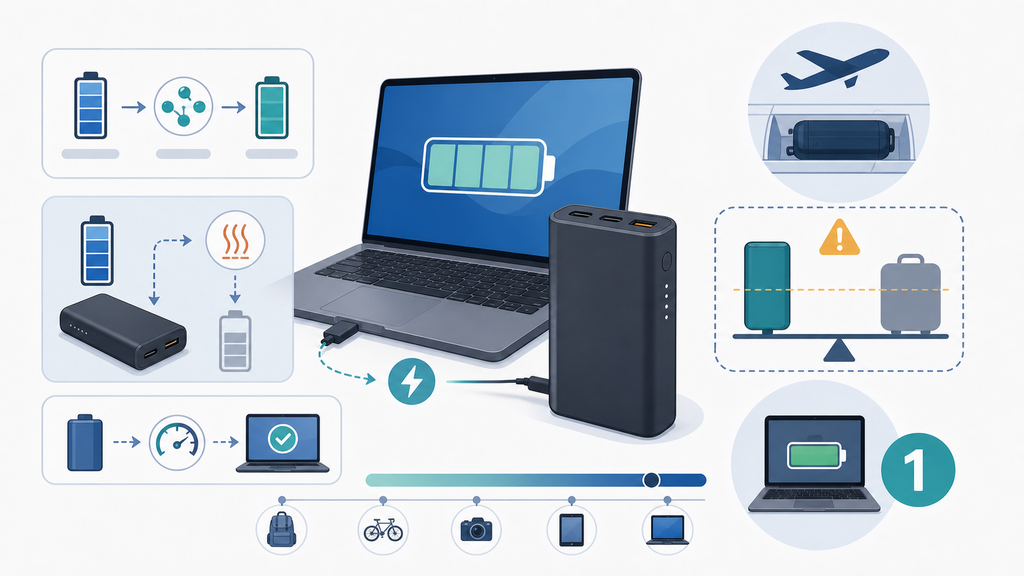
The mAh number is often measured at the internal battery cell voltage, commonly around 3.7V. Laptop batteries and USB-C outputs operate at different voltages, so direct mAh comparison can mislead users. Watt-hours give a better view because they describe energy. The simple formula is:
Wh = mAh x V / 1000
So a 20,000mAh power bank at 3.7V is about 74Wh. A 27,000mAh model at 3.7V is about 99.9Wh. But users do not receive all of that energy at the laptop battery. Conversion loss, heat, cable loss, and laptop power draw reduce the final result.
This is why user expectations need careful wording:
| Power Bank Label | Approximate Energy | Realistic Laptop Use |
|---|---|---|
| 10,000mAh | About 37Wh | Emergency top-up for small devices |
| 20,000mAh | About 74Wh | Useful for many ultrabooks |
| 27,000mAh | About 100Wh | Strong travel-size laptop option |
| Above 100Wh | More energy | Travel restrictions become harder |
I often tell buyers not to promise "two full laptop charges" unless the test data supports it for a specific laptop model. A small laptop with a 45Wh battery may get a very different result from a 16-inch laptop with a much larger battery. The same power bank can feel excellent to one user and disappointing to another.
Airline rules also shape capacity. The FAA’s PackSafe lithium battery guidance says spare lithium batteries, including power banks and cellphone battery charging cases, must be carried in carry-on baggage only, and lithium-ion batteries are limited to 100Wh unless airline approval applies for certain larger spare batteries.2 The TSA also states that power banks with lithium-ion batteries must be packed in carry-on bags.3 This is why many travel laptop power banks are designed near, but not above, 100Wh.
For brands, this creates a product-positioning choice. A 20,000mAh model is easier to carry, lighter, and often enough for short work sessions. A near-100Wh model gives stronger laptop backup but costs more, weighs more, and needs clearer travel labeling. A model above 100Wh may be useful in some markets, but it becomes much harder to sell as a simple travel product.
Good packaging should show both mAh and Wh. It should also explain expected use in practical language. I prefer statements like "designed for USB-C laptops up to 65W" over vague claims such as "charges all laptops." The first claim guides the buyer. The second creates returns.
What Mistakes Should Buyers Avoid When Choosing One?
Laptop power bank mistakes usually happen before checkout. Buyers see a big battery number and skip the output details.
Avoid buying by mAh alone. Check USB-C PD output wattage, supported voltage profiles, cable rating, laptop compatibility, pass-through claims, heat behavior, airline Wh limit, and whether max wattage drops when multiple ports are used.
The most common mistake is mixing phone power bank expectations with laptop needs. A phone may charge fine from 20W. A laptop may need 45W, 65W, or 100W. If the power bank cannot provide enough output, the laptop may show a warning, charge only while asleep, or discharge slowly while plugged in.
The second mistake is ignoring shared output. A power bank may advertise 100W max, but that may apply only when one USB-C port is used alone. When a phone and laptop charge together, the laptop output may drop. This is not necessarily bad design. It becomes a problem when the product page does not explain port allocation.
The third mistake is using the wrong cable. The WIRED fast-charging guide explains that fast charging depends on the device, charger, cable, wattage, and protocol.4 The same principle applies to laptops. A cable that works for a phone may not support a high-power laptop setup.
Here is a buyer checklist I would use:
| Checkpoint | Why It Matters | Red Flag |
|---|---|---|
| Laptop input wattage | Determines whether charging keeps up | Product only says "USB-C" |
| USB-C PD output | Enables higher laptop charging power | Only USB-A outputs listed |
| Cable rating | Prevents slow or unstable charging | Cable wattage not shown |
| Wh marking | Helps travel and compliance clarity | Only mAh shown |
| Multi-port rules | Shows real power when shared | Max wattage shown without conditions |
| Thermal design | Affects safety and user trust | Very high output in tiny housing |
For private-label buyers, I would also ask for real test reports with target laptop categories. Do not test only open-circuit output. Test charging under load, multi-port use, warm conditions, repeated cycles, and cable combinations. If the product includes a cable, test that exact cable. If the cable is optional, say clearly what cable the user needs.
EverGreat can support this by turning the product idea into a clear specification before tooling or packaging. The brief should include capacity in Wh, USB-C PD output, cable type, target laptop wattage, airline positioning, weight target, port layout, certifications, and customer support wording. A laptop power bank is a useful product, but only when the promise matches the real charging experience.
Conclusion
You can charge many laptops with a power bank, but only when USB-C PD wattage, cable rating, capacity, and travel limits match the laptop.
-
This USB-IF page supports the explanation of USB Power Delivery, high-power USB-C charging, and the role of full-featured USB-C cables. ↩
-
This FAA PackSafe page supports the carry-on-only rule and the 100Wh / 101-160Wh lithium-ion battery limits for spare batteries and power banks. ↩
-
This TSA page supports the rule that power banks containing lithium-ion batteries must be packed in carry-on bags. ↩
-
This WIRED guide supports the explanation that fast charging depends on the device, charger or power bank, cable, wattage, and charging protocol. ↩