Slow phone charging wastes time and creates doubt. The cause is often simple, but the wrong guess can make users replace the wrong accessory.
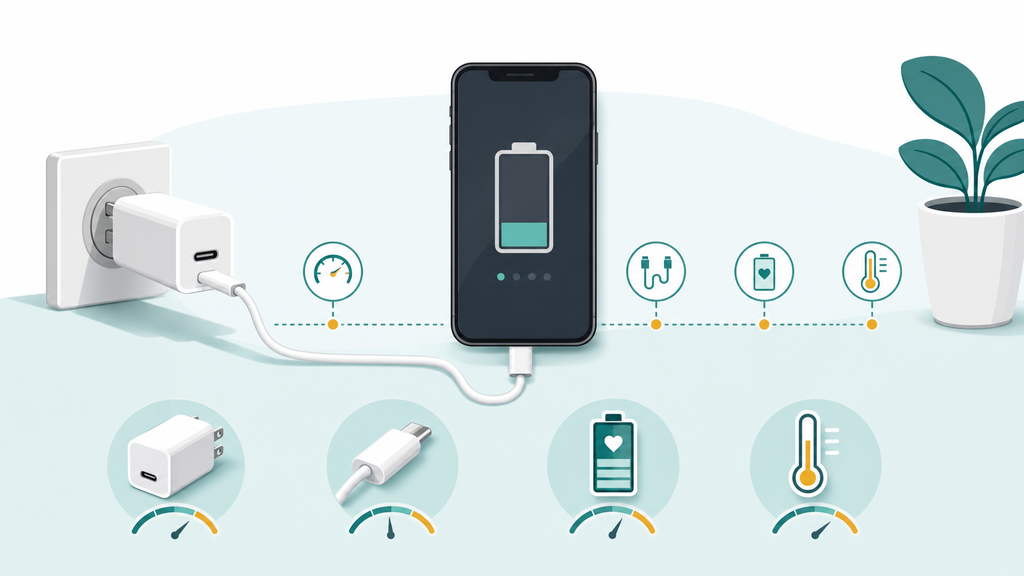
Your phone charges slowly because the charger, cable, phone settings, battery temperature, battery age, power source, or wireless alignment may be limiting power. Start by testing a proper wall charger and a known good cable before blaming the phone.
I hear this question often from customers, retailers, and end users. Slow charging is not only a technical issue. It affects reviews, return rates, and confidence in every charging product connected to the phone.
Is The Charger Or Cable The Main Reason?
A charger can look powerful and still charge slowly. A cable can look new and still limit current, negotiation, or connection stability.
Yes, the charger and cable are the first things to check. A low-watt adapter, USB-A cable, damaged connector, unsupported USB-C PD/PPS profile, or loose plug can make a phone charge much slower than expected.
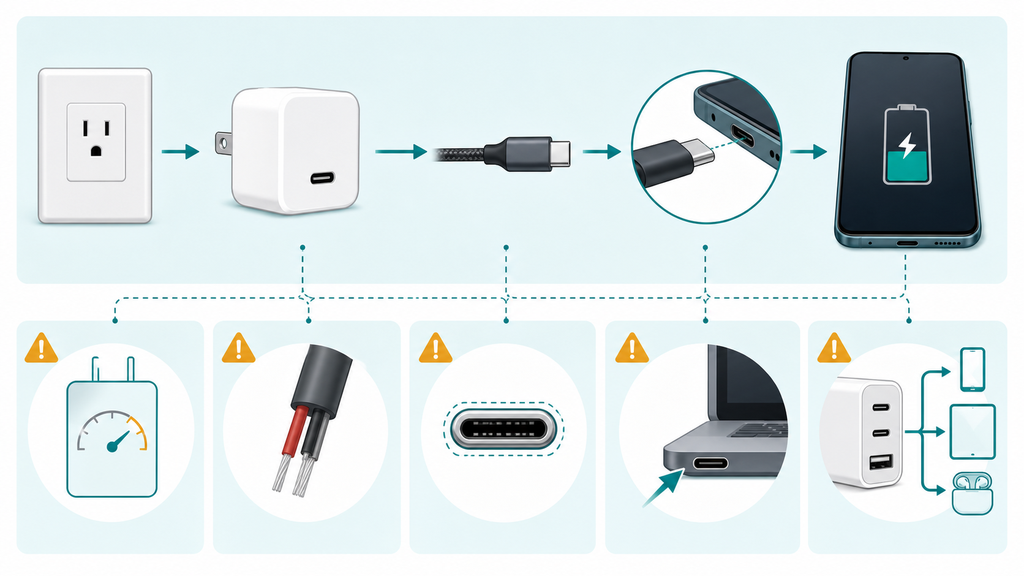
Apple says iPhone 8 or later can fast charge up to 50 percent in around 30 minutes when the phone uses the right cable and a compatible USB-C power adapter that supports USB Power Delivery.1 Google also tells Pixel users that a laptop USB port can charge slower than a wall outlet, and that USB-A to USB-C charging is slower than USB-C charging with the right adapter.2 These two examples show the same point: the accessory chain matters.
In manufacturing, I never judge charging speed by the wattage printed on the box alone. The real path is adapter output, cable capability, connector condition, phone charging protocol, firmware decision, battery state, and temperature. If one part is weak, the whole system slows down.
| Accessory Part | Common Slow-Charging Cause | What Users Notice |
|---|---|---|
| Wall charger | Too little wattage or wrong protocol | Phone says charging but rises slowly |
| Cable | USB-A cable, thin conductor, poor e-marker, worn plug | Slow, unstable, or disconnecting charge |
| Power source | Laptop port, car USB port, weak power strip | Charging works but cannot keep up |
| Connector | Dust, looseness, oxidation, poor fit | Charging starts and stops |
| Multi-port charger | Power shared across ports | Speed drops when another device connects |
USB Power Delivery is useful because it allows more flexible power delivery over USB, and USB-IF describes it as a way for devices to take only the power they require.3 That does not mean every USB-C charger is equal. A phone still needs a supported profile, a cable that can carry the current, and a charger design that stays stable under load.
Many users also misunderstand high-watt chargers. A 65W charger does not force 65W into a phone. The phone requests what it can accept. A higher-watt charger may help if the old charger was too weak, but it will not bypass the phone’s own charging limit. This is why a 20W, 30W, 45W, or 65W adapter may produce different results depending on the phone model and battery level.
For private-label buyers, the lesson is simple: do not sell charging speed as a single number. Test the exact cable and charger together. Test common phone models. Test low-battery and mid-battery charging. Test with one port and multiple ports. If the product is a power bank, test output under real load instead of relying only on the advertised maximum.
At EverGreat, I prefer to evaluate a sample as a complete user scenario. If a customer plans to sell a travel charging kit, I want the wall charger, cable, and power bank tested together. If the kit includes a USB-A backup cable, I mark that as a convenience feature, not the fastest path. Clear expectation setting prevents many slow-charging complaints.
Can Phone Settings And Battery Health Slow Charging?
Sometimes the accessory is fine, but the phone still charges slowly. That feels confusing because users expect charging speed to stay the same every day.
Yes, phone settings and battery health can slow charging. Battery optimization, high background usage, old battery chemistry, a nearly full battery, and thermal protection can all reduce charging speed even with a good charger.
Most modern phones do not charge at one steady speed from 0 to 100 percent. They usually charge faster when the battery is low, then slow down as the battery fills. This protects the battery and manages heat. Google notes that some Pixel phones may automatically adjust charging to manage device and battery temperatures, which can make charging slower.2
This matters because users often compare the wrong part of the charging curve. A phone might move from 10 percent to 50 percent quickly, then take much longer from 80 percent to 100 percent. That is not necessarily a charger failure. It is the phone controlling battery stress.
Battery optimization can also look like a problem. Google describes Adaptive Charging and an 80 percent limit option for Pixel phones to help battery health over time.2 Apple also says fast charging can be affected by conditions that are too cold or too hot, and that actual charge time varies with settings and environmental factors.1 These are useful facts for support teams because they explain why two users with the same charger can report different results.
| Phone Condition | Why Charging Slows | Practical Check |
|---|---|---|
| Battery above 80 percent | Phone reduces current near full charge | Compare speed below 50 percent |
| Battery optimization on | Phone delays full charge for battery health | Check battery settings |
| Heavy app use | Screen, CPU, GPS, or camera uses power while charging | Charge with screen off |
| Warm phone | Thermal protection reduces charging | Cool the phone first |
| Old battery | Internal resistance increases with age | Compare with another phone |
I have seen many return cases where the charger was blamed, but the real cause was navigation, video calls, or mobile gaming during charging. The battery percentage moved slowly because the phone was consuming power at the same time it was receiving power. This is common in cars, at trade shows, and during travel.
For brands, this creates a communication problem. If the user expects a charger to overcome every phone condition, disappointment is likely. Good packaging and product pages should explain that charging speed depends on the phone, cable, adapter, temperature, and current battery level. This is not an excuse. It is an honest way to reduce unrealistic expectations.
For B2B buyers, I suggest building a simple support script. Ask the customer to test from 20 percent battery, close heavy apps, use the supplied cable, use a wall outlet, and record the first 30 minutes. This gives useful data. It also prevents support teams from replacing accessories before they know whether the issue follows the charger, cable, phone, or environment.
Why Is Wireless Charging Often Slower?
Wireless charging feels convenient, so users expect it to be effortless. When it charges slowly, they often think the pad or power bank is defective.
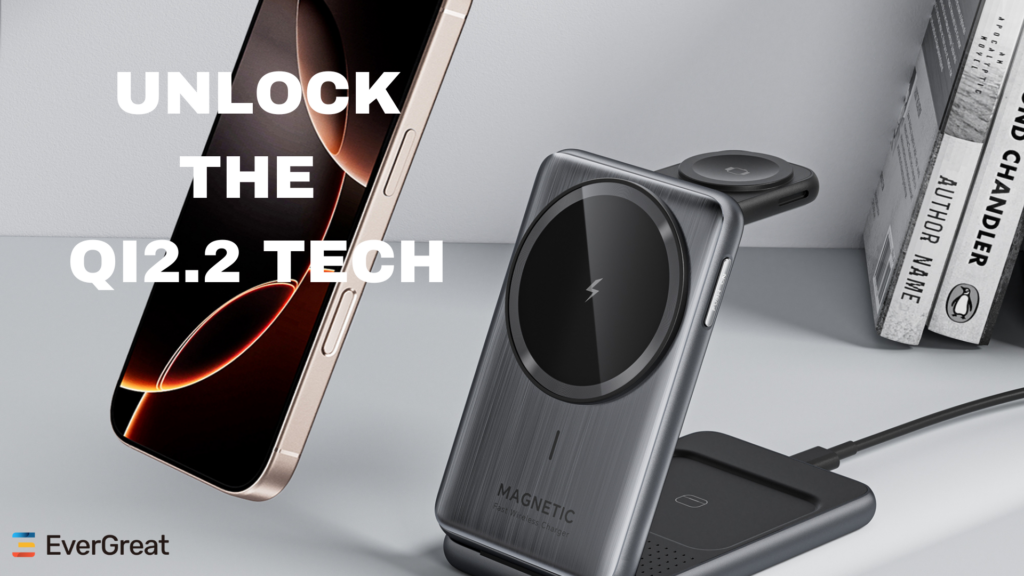
Wireless charging is often slower because alignment, case thickness, heat, adapter power, coil design, and phone limits affect efficiency. Even a small placement error can reduce speed or make the phone pause charging.
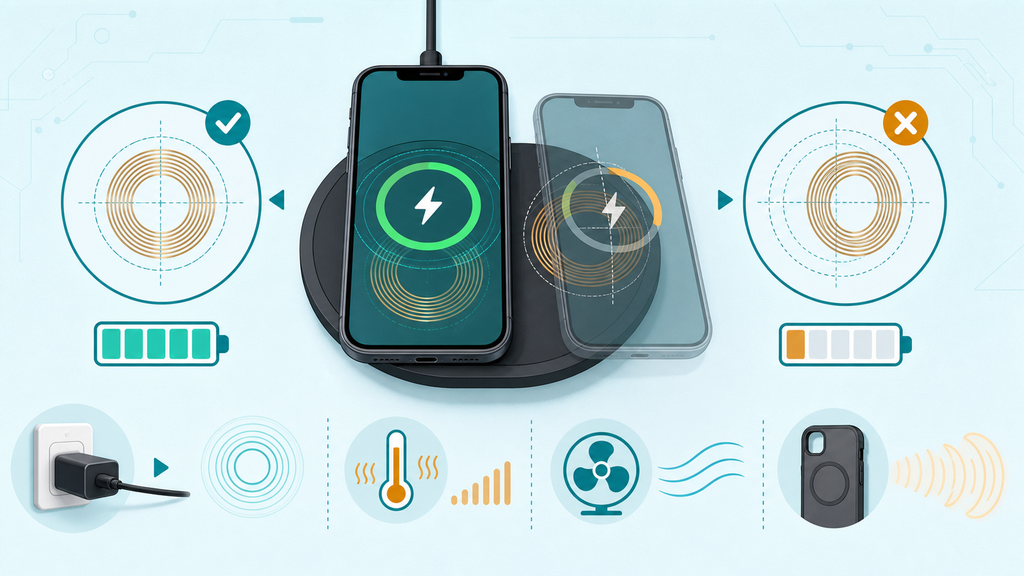
Google tells Pixel users to remove cases if wireless charging is slow or unsteady, avoid very hot places, keep air around the device, and use compatible Qi or Qi2-certified chargers where required.2 This lines up with what I see in sample testing. Wireless charging is more sensitive to the real environment than many buyers expect.
With wired charging, the power path is direct. With wireless charging, energy transfers through coils. If the coils are not aligned, more energy is lost as heat. If the case is thick, metallic, magnetic in the wrong place, or includes a wallet attachment, the phone may charge slowly or not at all. If the room is warm, the phone may reduce charging speed to protect the battery.
| Wireless Factor | What Goes Wrong | Buyer Takeaway |
|---|---|---|
| Coil alignment | Energy transfer becomes inefficient | Magnetic alignment can improve consistency |
| Thick case | Distance increases between coils | Test popular case types |
| Metal or wallet case | Charging may slow or fail | Warn users clearly |
| Weak adapter | Pad cannot receive enough input power | Bundle or specify adapter wattage |
| Heat buildup | Phone slows or pauses charging | Design airflow and thermal control |
Qi2 has helped because magnetic alignment can make placement more reliable, but certification and product design still matter. A magnetic ring alone does not guarantee a good charging experience. The coil position, magnets, firmware, temperature control, and input adapter all affect the result.
For power banks, wireless charging has another tradeoff. A magnetic wireless power bank may charge a phone more slowly than a cable, but it offers convenience when users are moving. If the product page promises only maximum speed, users may feel disappointed. If it explains wired speed, wireless speed, case compatibility, and heat behavior, users can choose the right mode.
I often advise customers to design wireless charging products around predictable user behavior. People will charge with cases. They will place the phone slightly off-center. They will use the device while charging. They will leave it in bags, cars, and warm rooms. A good product plan tests these messy conditions before launch.
Safety also belongs in the discussion. The U.S. Consumer Product Safety Commission has warned that chargers marketed as universal may fit a device but still be incompatible, and that incompatible chargers can create fire hazards in lithium battery products.4 That warning focused on micromobility devices, but the product lesson is broader: fit is not the same as compatibility.
For EverGreat projects, I like to separate wired and wireless claims in the specification sheet. I also like to test charging with the exact adapter, cable, phone case, and phone models the target customers are likely to use. This is slower than copying a generic spec, but it produces fewer surprises after shipment.
Conclusion
Slow phone charging usually comes from the accessory chain, phone controls, temperature, or wireless setup. Test one variable at a time before replacing products.
-
Apple Support, Fast charge your iPhone. ↩ ↩
-
Google Pixel Phone Help, Charge your Pixel phone. ↩ ↩ ↩ ↩
-
USB Implementers Forum, USB Charger (USB Power Delivery). ↩
-
U.S. Consumer Product Safety Commission, CPSC Urges Consumers to Not Buy or Use "Universal" Chargers with Micromobility Products Due to Fire Hazard. ↩