Using a phone while charging feels normal, but heat, slow charging, and cheap accessories can turn a simple habit into a bad experience.
It is usually safe to use your phone while charging if the charger and cable are reliable, the phone stays cool, and the connector feels normal. Stop if the phone becomes hot, charging pauses, the cable gets warm, or the accessory looks damaged.

Many users ask this because they charge while watching videos, gaming, navigating, or taking calls. The real question is not only safety. It is whether the charging setup can handle power, heat, and movement at the same time.
Does Using A Phone While Charging Damage The Battery?
People often blame the charger when the phone heats up during use. In many cases, the phone is doing two jobs at once.
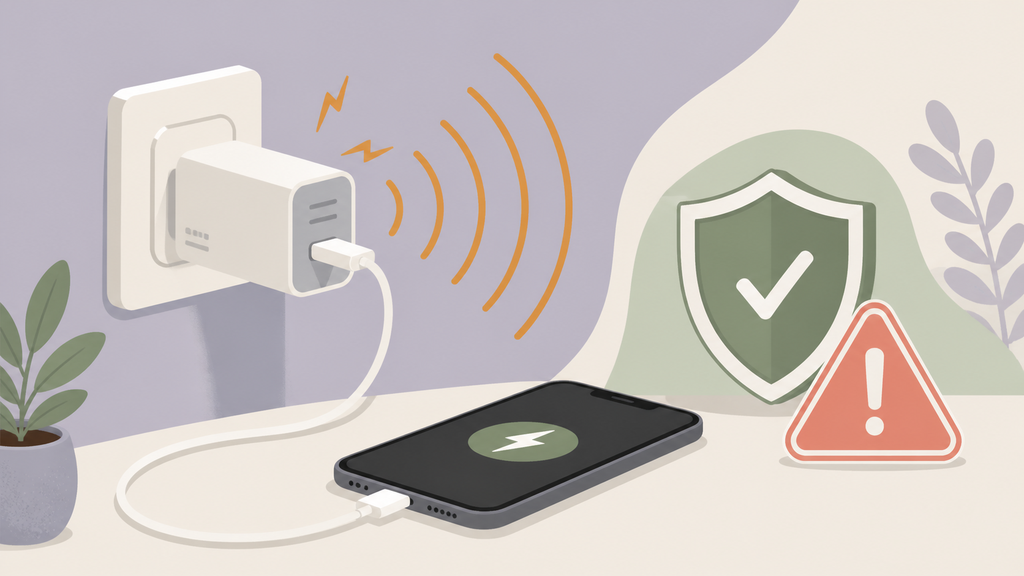
Using a phone while charging does not automatically damage the battery. The main risk is extra heat. The phone receives power while the screen, processor, camera, GPS, or network also consumes power, so charging may slow and battery stress may increase.
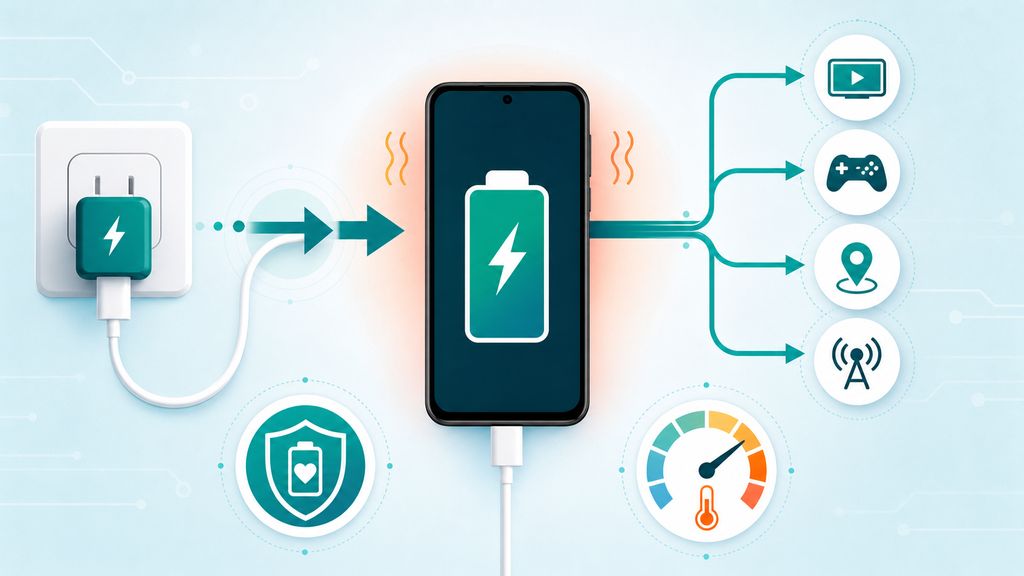
Apple explains that its lithium-ion batteries charge quickly until they reach about 80 percent, then switch to a slower charging stage.1 Apple also says its devices work best in ambient temperatures from 32 degrees to 95 degrees Fahrenheit, or 0 degrees to 35 degrees Celsius.2 Those two points matter because heavy use changes the charging environment inside the phone. The battery is not only being charged. It is also powering the device.
Google gives similar practical advice for Pixel users. Its charging help says charging can slow when the phone gets too hot, and users may need to unplug the phone, let it cool, or close apps that use heavy power.3 That is a useful way to think about the issue. Slow charging during use is often the phone protecting itself, not the charger failing.
In manufacturing, I describe this as a load balance problem. A phone at rest may accept charging power smoothly. A phone running navigation, mobile data, high screen brightness, and video recording may consume a large part of that incoming power. The battery percentage rises slowly because some energy is used immediately.
| Phone Activity | What Changes During Charging | User Result |
|---|---|---|
| Screen on | Display consumes power and creates heat | Slower battery gain |
| Gaming | Processor and graphics load increase | More heat and possible charging pause |
| Navigation | GPS, screen, and mobile data stay active | Battery may rise slowly in a car |
| Video call | Camera, network, speaker, and screen run together | Phone may warm quickly |
| Light messaging | Low load | Usually no major issue |
The important difference is mild warmth versus uncomfortable heat. Mild warmth is common. A phone that becomes hard to hold, repeatedly pauses charging, shows a temperature warning, or drains while plugged in needs attention. The problem might be the app, case, room temperature, charger, cable, or phone battery condition.
For brands, this creates a support challenge. Users do not separate charger performance from phone workload. They only see the battery icon. If they play a game while charging and the percentage rises slowly, they may leave a bad review for the charger. Clear instructions help. Product pages should explain that high-power phone use can slow charging and increase heat.
For EverGreat projects, I prefer testing charging accessories with real user behavior. A charger that works on an idle phone is only part of the story. I also want to test with screen-on use, warm rooms, cases, and different cable lengths. These tests reveal the user experience before the product reaches customers.
When Should You Stop Using The Phone While Charging?
Most problems give warning signs before they become serious. The trouble is that users often ignore those signs because charging still seems to work.
Stop using the phone while charging if the phone is very hot, the cable or connector feels warm, charging starts and stops, the charger smells unusual, the battery swells, or the accessory is cracked, loose, or uncertified.
The U.S. Consumer Product Safety Commission warns that charger compatibility matters and that products marketed as universal can create hazards when they are not suitable for the device.4 That warning is often discussed around larger lithium battery products, but the principle also applies to everyday electronics. A plug that fits is not proof of safe design.
Heat at the phone back usually points to phone workload, battery temperature, wireless charging loss, or poor airflow. Heat at the connector is different. Connector heat can suggest poor contact, dust, a worn plug, damaged conductors, or a cable that is not built well. I take connector heat seriously because it can get worse with movement.
| Warning Sign | Likely Cause | What To Do |
|---|---|---|
| Phone is uncomfortable to hold | Heavy use, hot room, or thermal limit | Stop heavy use and let it cool |
| Cable connector is warm | Poor contact or damaged cable | Replace the cable |
| Charging disconnects repeatedly | Loose plug, dust, or weak cable | Inspect port and cable |
| Charger smells or buzzes | Possible internal fault | Stop using it |
| Battery swelling | Battery failure risk | Stop charging and seek service |
| Heat only with one accessory | Accessory defect or mismatch | Test another charger and cable |
I often see this problem with low-cost cables. The cable may charge a phone on a desk, but it becomes unstable when the user holds the phone, bends the connector, or games in landscape mode. A weak connector fit can create intermittent contact. The user sees charging start and stop. The phone may heat up. The brand receives a complaint.
Wireless charging adds another warning pattern. If a user holds the phone on a wireless power bank while gaming, alignment can shift. More energy can become heat instead of useful charging power. The phone may slow charging or stop. This is not always a defect, but it should be explained clearly.
For private-label buyers, I would ask suppliers for cable bend test data, connector fit checks, over-temperature protection, output stability tests, and sample testing with common phone models. Safety is not only certification paperwork. It is also how the product behaves when real users move, pull, bend, and use the phone during charging.
The safest customer advice is simple: if anything smells, swells, sparks, cracks, or becomes unusually hot, stop charging. No charging speed is worth ignoring those signs.
How Can You Use Your Phone While Charging More Safely?
The goal is not to tell users never to touch the phone. The goal is to reduce heat and accessory stress during normal use.
To use a phone while charging more safely, use a quality wall charger and cable, keep the phone in open air, avoid heavy gaming or navigation when hot, remove thick cases if needed, and replace damaged accessories immediately.
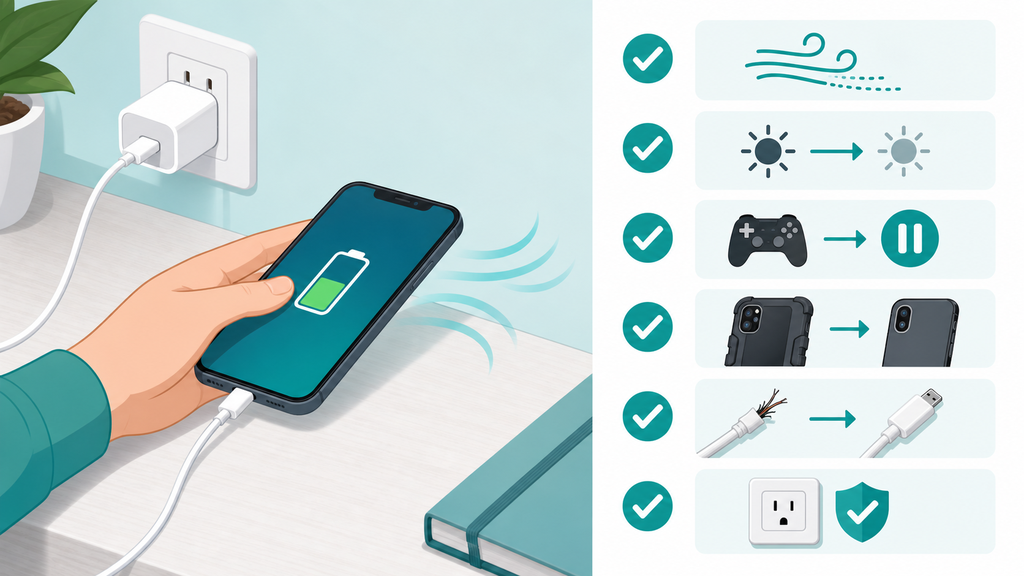
Start with the charger and cable. A proper charger should support the phone’s charging method and remain stable under load. A proper cable should fit firmly and should not feel warm at the connector. If the user is charging from a laptop USB port, a car USB port, or an old low-power adapter, the phone may charge slowly while being used. That is not always dangerous, but it can be frustrating.
Next, control heat. Put the phone in open air. Avoid direct sunlight. Do not cover the phone with a blanket or pillow. If the phone is in a thick case and becomes warm, remove the case during charging. Apple says device performance can change in very hot or cold conditions, and keeping devices within recommended temperature ranges helps them work properly.2
| Better Habit | Why It Helps | Best For |
|---|---|---|
| Use a wall charger | Provides steadier input power | Daily charging |
| Use a firm cable | Reduces connector movement | Gaming or video calls |
| Lower screen brightness | Reduces phone power draw | Long calls or streaming |
| Remove thick case | Improves heat release | Warm rooms |
| Pause heavy apps | Lowers processor load | Fast charging |
| Avoid soft surfaces | Prevents trapped heat | Bedside charging |
I also recommend changing only one variable during troubleshooting. Try another cable first. Then try another charger. Then remove the case. Then test while the phone is idle. This helps users identify whether the problem follows the accessory, the phone, the case, or the app.
For product brands, the best approach is to design for realistic use. Many users will keep using the phone while charging. They will bend the cable. They will charge in a car. They will use thick cases. They will expect a power bank to work while the phone is in their hand. The product should be tested under those conditions, not only under perfect lab placement.
EverGreat customers often ask whether a stronger charger solves this problem. Sometimes it helps, especially when the old adapter is too weak. But a stronger charger does not solve a damaged cable, hot room, poor wireless alignment, or phone thermal limit. Good product planning separates these causes before making claims.
My practical advice is this: light use while charging is usually fine. Heavy use is acceptable only if the phone stays cool and the accessory chain is reliable. When heat appears, reduce the load first. That is the fastest way to protect user comfort, battery health, and product reputation.
Conclusion
Using a phone while charging is usually safe with good accessories and airflow. Stop when heat, damage, unstable charging, or connector warmth appears.
-
Apple, Batteries – Why Lithium-ion?. ↩
-
Apple, Batteries – Maximizing Performance. ↩ ↩
-
Google Pixel Phone Help, Charge your Pixel phone. ↩
-
U.S. Consumer Product Safety Commission, CPSC Urges Consumers to Not Buy or Use "Universal" Chargers with Micromobility Products Due to Fire Hazard. ↩